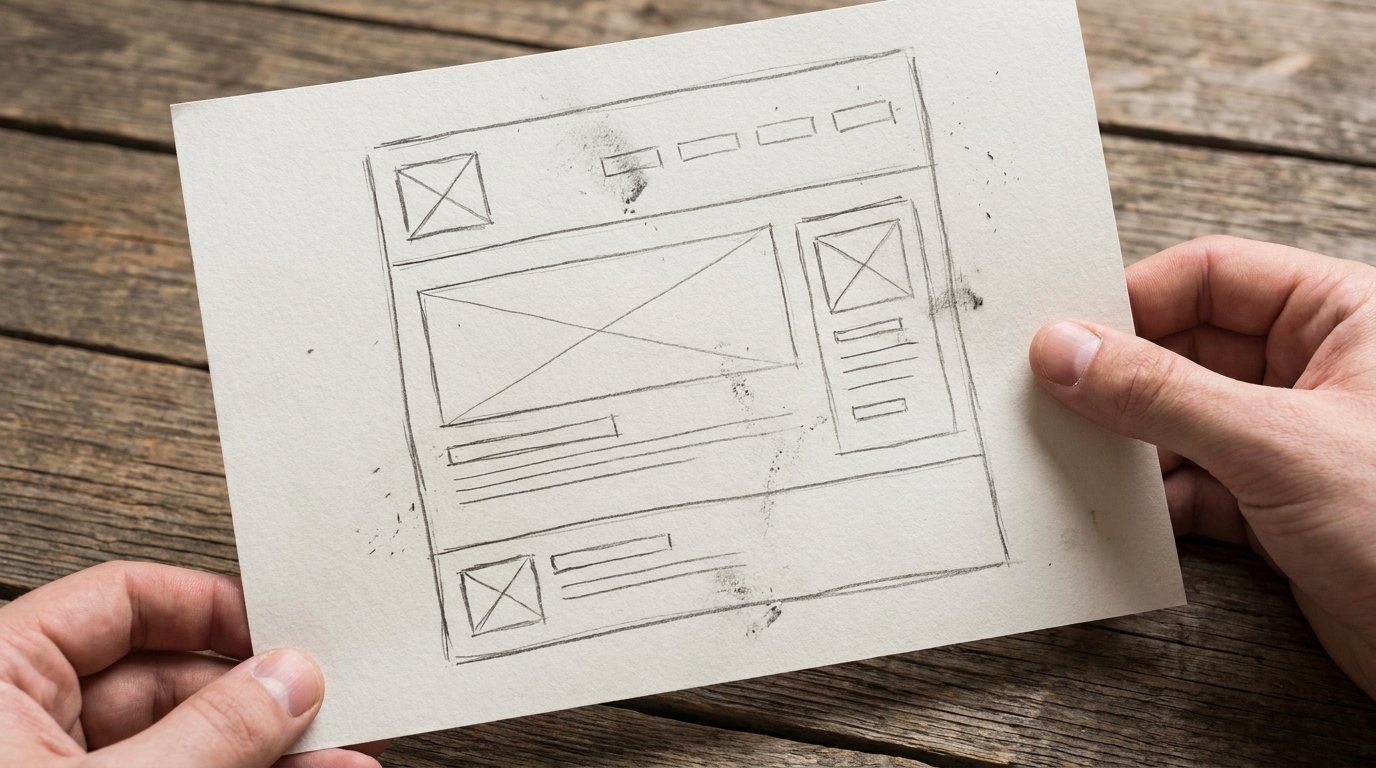
Planning a website can feel overwhelming, especially if you are not familiar with web design or development. Many business owners know they need a website but are unsure what they need to prepare, what features they require, how much to budget, or what to ask a web designer.
This is where proper planning makes a difference.
Before hiring a web designer, you should have a clear understanding of your business goals, target audience, website structure, content, functionality, SEO requirements, budget, and timeline.
You don’t need to know how to code or design a website. You simply need to understand what you want the website to accomplish for your business.
Key Takeaway: Before hiring a web designer, define your website’s purpose, target audience, required pages, content, functionality, SEO needs, budget, and timeline. A clear plan helps you get more accurate quotations and build a website that supports your business goals.
One of the most common mistakes businesses make is contacting a web designer with only one requirement:
“I need a website. How much does it cost?”
The problem is that websites vary significantly in complexity.
Why Should You Plan a Website Before Hiring a Web Designer?
A five-page portfolio website is very different from an e-commerce website with hundreds of products. A corporate website may require completely different functionality from a government agency website or a custom business platform.
Your website requirements can affect:
- Design
- Development time
- Technology
- Content
- SEO
- Functionality
- Hosting
- Security
- Maintenance
- Overall budget
Planning your website before hiring a designer allows you to communicate your expectations clearly and compare proposals more effectively.
It also reduces the likelihood of unexpected costs, delays, or unnecessary features later in the project.
1. Define the Main Goal of Your Website
The first question to answer is:
Why does your business need a website?
Your answer should go beyond “to have an online presence.”
A website can serve different purposes depending on the organization.
For example, you may want your website to:
- Generate leads
- Sell products online
- Showcase your portfolio
- Promote professional services
- Build credibility
- Receive bookings or appointments
- Provide information
- Publish educational content
- Support existing customers
- Attract investors or partners
- Provide public information
Example: A Consulting Business
A consulting company might define its primary website goal as:
Generate qualified enquiries from businesses looking for professional consulting services.
This goal can influence the website’s structure, content, calls to action, contact forms, and SEO strategy.
Example: An E-commerce Business
An online retailer might have a different goal:
Allow customers to discover, purchase, and pay for products online.
That means the website will require product pages, shopping cart functionality, checkout, payment integration, order management, and potentially delivery integration.
The clearer your objective is, the easier it becomes for your web designer to recommend the right solution.
2. Identify Your Target Audience
Your website should be designed around the people you want to reach.
Before hiring a web designer, identify your primary audience.
Ask yourself:
- Who are our customers?
- What do they need?
- What problems are they trying to solve?
- What information do they need before contacting us?
- What might stop them from buying?
- What questions do they frequently ask?
- What action do we want them to take?
For example, a corporate consulting website may target executives and business owners, while a portfolio website may target employers, recruiters, and potential clients.
Understanding the audience helps determine the website’s:
- Content
- Navigation
- Design
- Calls to action
- User experience
- SEO strategy
3. List Your Products and Services
Before designing the website, create a complete list of what your business offers.
For example, a digital agency might provide:
- Web Design
- Web Development
- SEO
- Branding
- Social Media Management
- Digital Advertising
Don’t assume that every service needs to be placed on one general Services page.
Important services may deserve individual pages.
For example:
Services
- Web Design
- Web Development
- SEO
- Branding
- Social Media Management
Each service page can explain:
- What the service involves
- Who it is for
- The problems it solves
- Your process
- Expected outcomes
- Relevant examples
- Frequently asked questions
- How to get started
This can also create additional opportunities to target specific search queries.
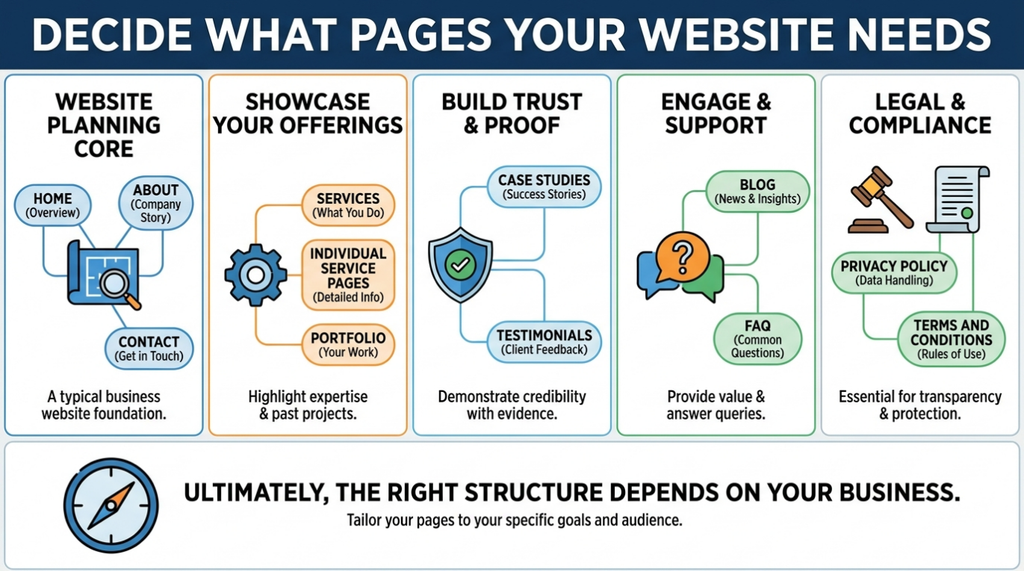
4. Decide What Pages Your Website Needs
A Portfolio Website
A freelancer or professional may need:
- Home
- About
- Services
- Portfolio
- Individual Projects
- Testimonials
- Resume or Experience
- Contact
An E-commerce Website
An online store may require:
- Home
- Shop
- Product Categories
- Product Pages
- Cart
- Checkout
- Customer Account
- Shipping Information
- Returns Policy
- FAQ
- Contact
A Corporate Website
A larger organization may require:
- Home
- About
- Leadership
- Services
- Industries
- Projects
- Case Studies
- Careers
- News
- Resources
- Contact
Don’t add pages simply to make the website appear larger.
Every page should have a purpose.
5. Create a Simple Website Sitemap
Once you know your required pages, organize them into a simple sitemap.
For example:
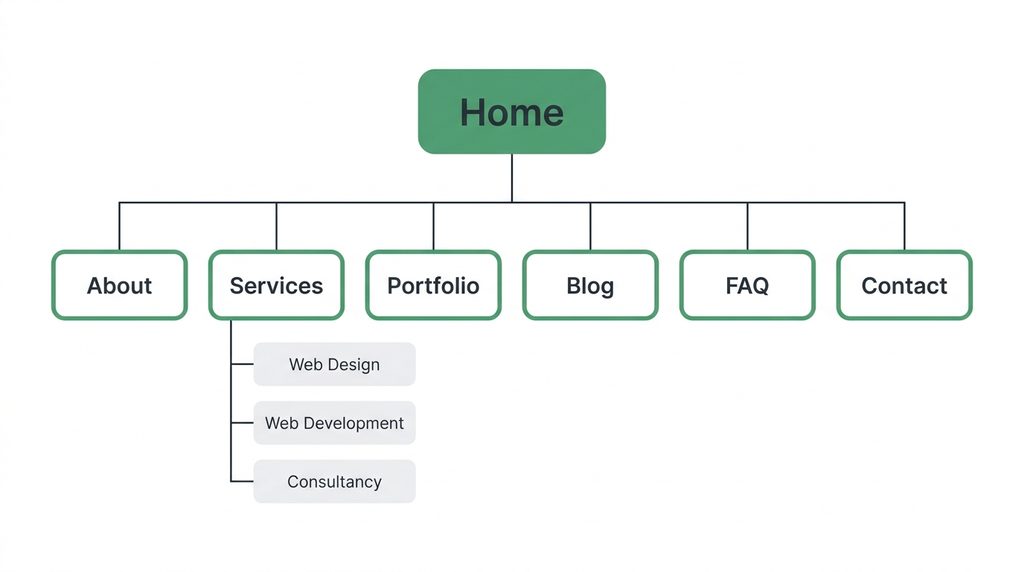
A sitemap helps you understand how visitors will move through your website.
It also helps your web designer determine:
- Navigation
- Page hierarchy
- Internal linking
- Content organization
- SEO structure
Planning your sitemap early can prevent major structural changes later.
6. Determine What Content You Need
Content is one of the biggest reasons website projects get delayed.
A business may hire a designer, approve the design, and then discover that nobody has prepared the actual website content.
Before development begins, determine whether you need:
- Website copy
- Service descriptions
- Product descriptions
- Company information
- Team biographies
- Testimonials
- Case studies
- Blog articles
- FAQs
- Images
- Videos
- Downloadable documents
Also decide who is responsible for creating the content.
Will it be:
- Your internal team?
- A copywriter?
- The web designer?
- A marketing agency?
- A combination?
Content should be considered early because it directly influences website structure and design.
7. Prepare Your Brand Assets
If your business already has an established brand, gather your brand assets before the website project begins.
These may include:
- Logo
- Brand colors
- Typography
- Brand guidelines
- Photography
- Icons
- Illustrations
- Marketing materials
If you don’t have a defined visual identity, discuss this with your web designer.
You may need branding and website design to be developed together.
A professionally designed website should feel like an extension of your brand rather than an unrelated digital asset.
8. Collect Website Examples You Like
You don’t need to be a designer to communicate your preferences.
Find a few websites that appeal to you and identify what you like about them.
For example:
- Navigation
- Homepage structure
- Typography
- Color usage
- Service presentation
- Animations
- Portfolio layout
- Product display
- Contact experience
Instead of telling your designer:
“I want my website to look exactly like this.”
Explain:
“I like how this website presents its services and guides visitors toward making an enquiry.”
This gives the designer useful direction without restricting the project to a copy of another website.
9. Define the Functionality Your Website Needs
Think beyond how the website should look.
Ask:
What should the website be able to do?
Depending on your business, you may need:
Basic Functionality
- Contact forms
- Newsletter signup
- WhatsApp integration
- Social media integration
- Search
Business Functionality
- Appointment booking
- Quote requests
- Customer enquiries
- Automated emails
- CRM integration
- Live chat
E-commerce Functionality
- Product catalog
- Shopping cart
- Checkout
- Payment gateway
- Inventory management
- Order management
- Delivery options
- Customer accounts
Advanced Functionality
- Membership systems
- User dashboards
- Custom calculators
- API integrations
- Customer portals
- Automation
- Third-party software integration
You don’t necessarily need to know how these features will be built.
Your responsibility is to explain what you need the website to accomplish.
Your web developer can then recommend the appropriate technical solution.
10. Plan for SEO From the Beginning
SEO should not be something you think about after your website has already been built.
Before development begins, identify the services, products, locations, and topics that potential customers search for.
For example, a web design company might target searches related to:
- Web design services
- Website design company
- Business website design
- Corporate website design
- E-commerce website design
- Website development services
This research can influence:
- Website architecture
- Service pages
- Page titles
- Headings
- URLs
- Blog categories
- Internal links
- Content strategy
A well-planned website gives search engines a clearer understanding of what your business does and the topics you should be associated with.
11. Decide How Visitors Should Contact You
A website should make it easy for visitors to take the next step.
Depending on your business, this could be:
- Contact form
- Phone call
- Booking system
- Request a quote
- Shop now
- Schedule a consultation
For example, a professional services company might use:
Request a Consultation
while an online store may use:
Shop Now
Your primary call to action should align with your main website objective.
12. Plan Your Lead Generation Process
If your website is intended to generate business enquiries, think about what happens after someone clicks your CTA.
For example:
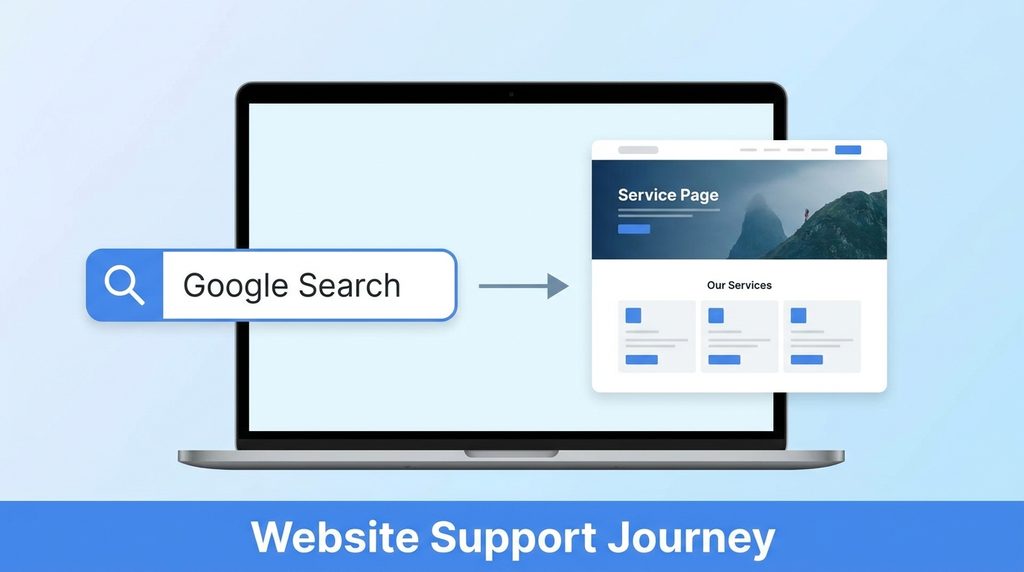
Your website should support this journey.
This is one reason website planning should involve more than simply deciding what colors and images to use.
A business website should be designed around how visitors become customers.
13. Identify Required Integrations
Your website may need to connect with other platforms and systems.
These could include:
- Payment gateways
- CRM software
- Email marketing platforms
- Booking systems
- Accounting software
- Inventory systems
- Analytics tools
- Social media platforms
- Customer management systems
- Third-party APIs
Tell your web designer about these requirements before development begins.
An integration discovered halfway through a project can affect both the development process and the project budget.
14. Make Mobile Responsiveness a Requirement
Your website will be accessed from smartphones, tablets, laptops, and desktop computers.
Therefore, mobile responsiveness should be part of the project from the beginning.
Consider:
- Mobile navigation
- Button sizes
- Forms
- Typography
- Images
- Tables
- Product layouts
- Page speed
- Checkout experience
A website that looks excellent on a desktop but is difficult to use on a smartphone is not delivering a good user experience.
15. Consider Website Accessibility
Accessibility should also be considered during website planning.
Depending on the audience and type of organization, this may include:
- Readable typography
- Good color contrast
- Logical heading structure
- Accessible forms
- Keyboard navigation
- Alternative text for meaningful images
- Clear navigation
This is particularly important for organizations serving large or diverse audiences, including government agencies and public institutions.
16. Decide on Your Website Platform
You don’t necessarily need to choose the technology yourself.
Instead, explain your requirements and allow your developer to recommend an appropriate platform.
Depending on the project, options may include:
- WordPress
- E-commerce platforms
- Content management systems
- Custom web development
- Web applications
The important question isn’t:
“Which platform is the most popular?”
It is:
“Which platform is appropriate for what we need the website to do?”
The requirements should drive the technology decision.
17. Secure Your Domain Name
Your domain is one of your most important digital assets.
Before starting development:
- Choose a suitable domain
- Check availability
- Register it properly
- Keep access to the registrar account
- Record renewal dates
- Understand renewal costs
Whenever possible, the business itself should retain ownership and administrative access to its domain.
Your website should remain a business asset even if you eventually change developers.
18. Plan Your Hosting Requirements
Your hosting requirements depend on the type of website you’re building.
A simple portfolio website may require relatively modest hosting.
An e-commerce platform, membership website, or custom web application may require more resources.
Consider:
- Performance
- Storage
- Security
- Backups
- Scalability
- Technical support
- Server resources
- Renewal costs
Ask your developer what hosting environment they recommend and why.
19. Include Security in Your Website Plan
Website security shouldn’t be an afterthought.
Depending on the project, your security requirements may include:
- SSL/HTTPS
- Secure login
- User permissions
- Regular backups
- Software updates
- Security monitoring
- Malware protection
- Firewall protection
An e-commerce website processing payments and customer information will require more careful security planning than a simple informational website.
20. Determine Your Website Budget
Once you understand what you want the website to accomplish and what it needs to contain, you can start thinking about budget.
Your costs may include:
Initial Website Costs
- Strategy
- Design
- Development
- Content
- Domain
- Hosting
- Premium software
- Testing
- Launch
Ongoing Costs
- Domain renewal
- Hosting
- Maintenance
- Security
- SEO
- Content creation
- Technical support
- Marketing
Don’t focus exclusively on finding the cheapest website.
Instead, determine the level of investment required to achieve your business objectives.
21. Set a Realistic Timeline
A website project usually involves several stages:
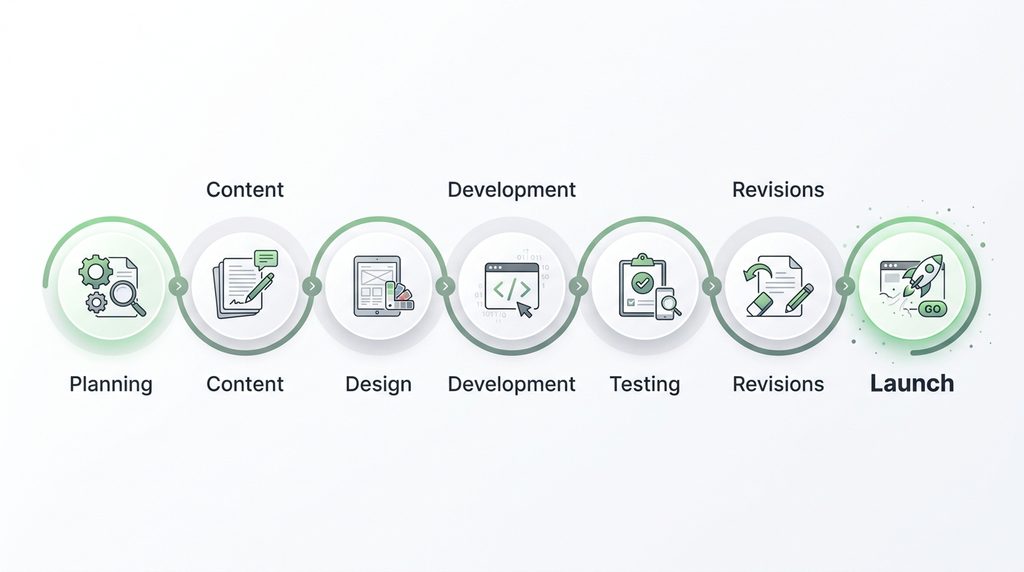
The timeline can be affected by:
- Number of pages
- Content availability
- Design complexity
- Custom functionality
- Integrations
- Client feedback
- Number of revisions
If your website needs to launch before a particular event, campaign, or business deadline, communicate that to the web designer from the beginning.
22. Decide What Happens After Launch
A website isn’t necessarily finished once it goes live.
You need to decide who will handle:
- Content updates
- Security updates
- Backups
- Technical problems
- SEO
- New pages
- Performance improvements
- Software updates
You might manage these internally, hire a developer, or use an ongoing website maintenance service.
Discuss this before the project begins.
23. Clarify Website Ownership
This is an important issue that businesses sometimes overlook.
Before hiring a web designer, clarify who owns and controls:
- Domain
- Hosting
- Website files
- Database
- Content
- Images
- Design assets
- Premium plugins
- Analytics accounts
- Search Console
- Email accounts
Make sure you understand what happens if you decide to work with another provider in the future.
Your website should be an asset that belongs to your business, not something you are permanently dependent on another individual to access.
Website Planning Checklist Before Hiring a Web Designer
Use this checklist before approaching a web designer or development company.
Business Goals
- I know why we need the website
- Our primary objective is clear
- Our target audience is defined
- Our desired conversion is clear
Website Structure
- Required pages identified
- Sitemap created
- Navigation structure considered
- Important services/products identified
Content
- Company information prepared
- Service/product information prepared
- Images collected
- Testimonials collected
- Case studies identified
- Content responsibilities assigned
Branding
- Logo available
- Brand colors available
- Fonts identified
- Brand guidelines available
- Visual references collected
Functionality
- Contact forms
- Booking
- Payments
- E-commerce
- Customer accounts
- Integrations
- Other custom features
SEO
- Target services identified
- Target keywords researched
- Important pages identified
- Blog strategy considered
- SEO included in the project discussion
Technical
- Domain
- Hosting
- SSL
- Backups
- Security
- Analytics
Commercial
- Budget defined
- Timeline established
- Revision expectations discussed
- Maintenance discussed
- Ownership clarified
- Post-launch support discussed
Questions to Ask a Web Designer Before Hiring Them
Once you’ve planned your website, you can have a much more productive conversation with potential web designers.
Ask questions such as:
About the Project
- What is included in the project?
- How will you approach the website strategy?
- How many pages are included?
- What functionality is included?
- How many revisions are included?
About Design
- Is the design custom or template-based?
- Will the website be mobile responsive?
- How will you approach user experience?
About Development
- What platform do you recommend?
- Why is it suitable for this project?
- Can the website be expanded later?
- What integrations are possible?
About SEO
- Is SEO included?
- Will the website structure be SEO-friendly?
- Will important service pages be optimized?
- Can you support ongoing SEO?
About Content
- Do you provide website copy?
- Who supplies the images?
- Can you help with content strategy?
About Ownership
- Who owns the domain?
- Who owns the website?
- Will we have administrator access?
- Can another developer maintain the website?
About Support
- What happens after launch?
- Do you provide maintenance?
- How are future changes handled?
- What happens if something breaks?
About Pricing
- What is included in the quotation?
- What isn’t included?
- Are domain and hosting included?
- Are premium tools included?
- Are content and SEO separate costs?
Common Website Planning Mistakes to Avoid
Starting With Price
Asking about cost before defining the project makes it difficult to compare quotations properly.
A ₦500,000 website and a ₦5 million website may both be described simply as “a website,” while their objectives, functionality, quality, and scope are completely different.
Designing Before Defining the Goal
A visually attractive website can still fail if it doesn’t generate enquiries, sales, bookings, or whatever outcome the business requires.
Leaving Content Until the End
Missing content can delay development and result in unnecessary redesigns.
Adding Too Many Features
More functionality doesn’t automatically mean a better website.
Every feature should solve a genuine business or user problem.
Ignoring SEO
If SEO matters to your business, consider it during planning rather than waiting until after launch.
Choosing Technology Too Early
Don’t decide on a platform simply because someone recommended it.
Start with your requirements and determine what technology best supports them.
Forgetting Maintenance
Websites need updates, security, backups, content, and ongoing improvements.
Ignoring Ownership
Make sure your business controls its critical digital assets.
A Simple Example of a Well-Planned Website Project
Imagine a growing consulting company wants to build a new website.
Instead of telling a web designer:
“We need a professional website.”
The company prepares the following brief.
Primary Goal
Generate qualified enquiries from corporate organizations.
Target Audience
Medium and large businesses seeking consulting and advisory services.
Services
- Business Consulting
- Strategy
- Training
- Advisory
Required Pages
- Home
- About
- Services
- Individual Service Pages
- Industries
- Case Studies
- Blog
- FAQ
- Contact
Functionality
- Contact forms
- Consultation booking
- Newsletter
- Analytics
SEO
Target searches related to the company’s services and industries.
Content
Existing company information is available, but professional website copy is required.
Budget
A defined budget range based on the expected scope.
Timeline
A realistic launch date agreed upon with the web development team.
This gives the web designer a much clearer understanding of what needs to be built.
Frequently Asked Questions
What should I prepare before hiring a web designer?
You should prepare your website goals, target audience, required pages, content, branding, functionality, SEO requirements, budget, timeline, and maintenance expectations.
You don’t need to know how to code. You simply need to clearly communicate what your business needs the website to accomplish.
How do I plan a website for a small business?
Start by defining your business objective and target audience. Then determine the services you want to promote, pages you need, content required, functionality, calls to action, SEO strategy, budget, and ongoing maintenance requirements.
What information does a web designer need from a client?
A web designer generally needs information about your business, audience, goals, brand identity, pages, content, functionality, preferred visual direction, integrations, budget, and timeline.
Should I have my website content ready before hiring a web designer?
It is helpful to have your content prepared or at least know what content will be required. Content affects the website’s structure, layout, SEO, and user experience.
Should SEO be considered before building a website?
Yes. SEO can influence your website architecture, page structure, URLs, service pages, headings, content strategy, and internal linking. Planning these elements early creates a stronger foundation for organic search visibility.
How much does it cost to build a website?
Website costs depend on factors such as the type of website, number of pages, design complexity, functionality, content, integrations, SEO requirements, technology, and ongoing maintenance.
What pages should a business website have?
Most businesses need pages such as Home, About, Services or Products, Contact, and relevant legal pages. Depending on the business, Portfolio, Case Studies, Testimonials, FAQ, Blog, Careers, and Resources may also be appropriate.
How long does it take to build a business website?
The timeline depends on the website’s size and complexity, content readiness, functionality, integrations, revisions, and client feedback. A simple business website will generally require less work than a complex e-commerce platform or custom web application.
What questions should I ask a web designer before hiring them?
Ask about their process, experience, design approach, technology, SEO, content, functionality, pricing, revisions, timeline, ownership, maintenance, and post-launch support.
Should I choose WordPress or custom web development?
It depends on your requirements. WordPress can be an excellent option for many business websites, while custom development may be more appropriate for specialized applications or complex functionality.
The right technology should be determined by what your website needs to accomplish.
Final Thoughts
Planning a website before hiring a web designer doesn’t mean you need to become a web developer.
It simply means understanding what your business needs from its website.
Before you request a quotation, define:
Goal → Audience → Pages → Content → Functionality → SEO → Budget → Timeline → Support
With these elements clearly defined, your conversation with a web designer becomes much more productive.
You’ll be able to explain what you need, evaluate proposals more effectively, identify unnecessary costs, and make better decisions about your website’s long-term direction.
Most importantly, you’ll be building a website around business objectives rather than simply creating an attractive collection of web pages.
Don’t start with “I need a website.” Start with “Here is what I need my website to accomplish.”
Ready to Plan Your Website?
At Penetralia Hub, we help businesses, startups, professionals, corporate organizations, and institutions turn their digital ideas into strategic online experiences.
From Web Design and Web Development to Consultancy, we help you plan the right website structure, functionality, user experience, and digital strategy for your goals.
Have a website idea but don’t know where to start? Start with a strategy.