
Choosing a website design is about more than selecting attractive colors, images, animations or layouts. The right website design should support your business goals, speak to your target audience and position your brand clearly.
Whether you need a portfolio website, business website, corporate website, e-commerce website or a more specialized digital platform, the design should be chosen based on what the website needs to accomplish.
Key Takeaway: The best website design is not necessarily the most visually impressive one. It is the one that fits your business model, audience, goals, brand positioning and customer journey.
What Does the Right Website Design Mean?
The right website design is a combination of visual design, structure, user experience, content, functionality and brand positioning that helps your website achieve its intended purpose.
Two businesses can offer similar services but need completely different websites. A creative freelancer may benefit from a highly visual portfolio, while a corporate organization may need a structured, authoritative website focused on trust, information and lead generation.
- Business goals
- Target audience
- Brand positioning
- Website type
- Content requirements
- User experience
- SEO needs
- Required functionality
1. Start With Your Business Goals
Before choosing a visual style, determine what the website needs to do for the business.
Your primary objective could be generating leads, selling products, showcasing expertise, receiving bookings, building credibility, attracting partners, providing information or supporting existing customers.
The goal should influence the design. A lead-generation website needs prominent calls to action and trust signals, while an online store needs an efficient product discovery and checkout experience.
2. Identify the Type of Website You Need
The type of website you choose will strongly influence its structure and design. Common options include:
- Business website — for presenting a company, services and contact information.
- Portfolio website — for showcasing work, skills, projects and professional experience.
- E-commerce website — for displaying products and processing online purchases.
- Corporate website — for established organizations that need structured information, credibility and stakeholder communication.
- Professional website — for consultants, lawyers, doctors, architects, coaches and other specialists.
- Institutional or government website — for public information, services, announcements and accessibility.
3. Design for Your Target Audience
A website should be designed for the people who will use it, not simply for the business owner.
Think about your audience’s expectations, technical comfort, priorities, concerns and decision-making process.
A professional audience may respond better to a clean, structured interface, while a creative audience may expect stronger visual storytelling.
- Who is the primary visitor?
- What are they looking for?
- What questions do they have?
- What might make them trust your business?
- What action should they take?
4. Match the Design to Your Brand Positioning
Your website is one of the strongest expressions of your brand online. Its design should communicate how you want the market to perceive your organization.
If you position your business as premium, the website should communicate quality and attention to detail. If your brand is youthful and innovative, the design may use more expressive visual elements. A government or institutional website may require a more formal, accessible and information-focused approach.
- Premium
- Professional
- Innovative
- Approachable
- Corporate
- Technical
- Creative
- Trustworthy
5. Choose a Website Structure That Fits the Business
A visually attractive website can still perform poorly if its structure makes information difficult to find.
Think about how your visitors will move from the homepage to the information they need and eventually to the desired action.
For many businesses, a simple structure such as Home → About → Services → Portfolio/Case Studies → Blog/Resources → Contact is a strong starting point. More complex organizations may need industry, location, product or resource sections.
6. Consider How Much Content You Need
Your website design should accommodate the amount and type of information your business needs to communicate.
A small professional service business may need concise pages, while a corporate organization may need detailed service pages, industries, projects, leadership profiles, reports, resources and news.
Do not choose a design simply because it looks good with placeholder text. Make sure it works with your real content.
7. Choose a Design That Supports User Experience
User experience, often called UX, refers to how easy and intuitive it is for visitors to use your website. A good design helps visitors understand where they are, what you offer, where to go next and how to take action.
- Clear navigation
- Readable typography
- Logical page structure
- Visible calls to action
- Consistent layouts
- Fast-loading pages
- Mobile-friendly interactions
- Simple forms
8. Make Mobile Design a Priority
Your website should not be designed for desktop first and treated as an afterthought on mobile.
Mobile users need layouts, navigation, buttons, forms and content that are easy to use on smaller screens.
Ask your web designer how the design will adapt across smartphones, tablets and desktops.
9. Think About SEO When Choosing Your Design
Website design and SEO should work together. A design that looks attractive but creates poor navigation, slow pages or unclear content structure can make organic search growth more difficult.
SEO-friendly design should support logical page architecture, readable content, descriptive headings, crawlable navigation, mobile usability, fast performance and internal linking.
10. Decide How Much Functionality You Need
Your website design should accommodate the functions your business actually needs.
These might include contact forms, booking systems, payment gateways, e-commerce, customer accounts, calculators, chat, newsletters, CRM integrations or custom dashboards.
Do not add functionality simply because another website has it. Every feature should serve a real user or business purpose.
11. Consider Trust and Credibility
People often judge a business by its website before making contact. Your design should therefore make it easy for visitors to understand who you are and why they should trust you.
Depending on your business, useful trust signals may include:
- Client logos
- Testimonials
- Case studies
- Certifications
- Professional photography
- Team profiles
- Industry experience
- Awards
- Security indicators
- Clear contact information
12. Choose Images That Support the Brand
Images should reinforce your message rather than simply fill empty spaces.
For a consulting company, professional team and workplace imagery may reinforce credibility. For a creative agency, project visuals can demonstrate capability. For an e-commerce store, product photography becomes central to the buying decision.
13. Avoid Choosing a Design Based Only on Trends
Website trends change quickly. A design that looks fashionable today may feel outdated in a few years.
Instead of chasing every visual trend, prioritize clarity, usability, brand consistency, accessibility, performance and scalability.
A strong website can use modern design principles without becoming dependent on short-lived trends.
14. Think About Future Growth
Your website should be able to grow with your business.
Before choosing a design, consider whether you may later add new services, products, locations, team members, blog content, case studies, booking systems or e-commerce functionality.
A scalable website structure can save you from rebuilding the entire site when your business expands.
15. Compare Website Design Options Before Deciding
When comparing design proposals or references, evaluate them against your actual business requirements rather than choosing the one that looks most impressive.
- Does it fit our target audience?
- Does it support our primary business goal?
- Is the navigation clear?
- Does it represent our brand positioning?
- Will it work well on mobile?
- Can it support SEO?
- Can it accommodate our content?
- Can it support required functionality?
Can it grow with the business?
Website Design by Business Type
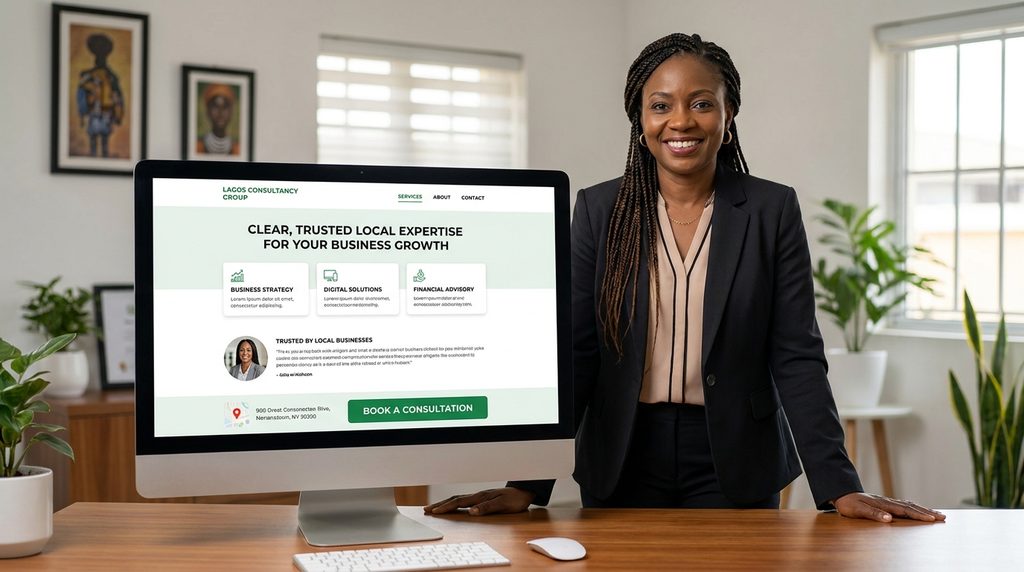
Small Business Website
Focus on clarity, trust, services, local visibility and easy contact. Avoid unnecessary complexity.
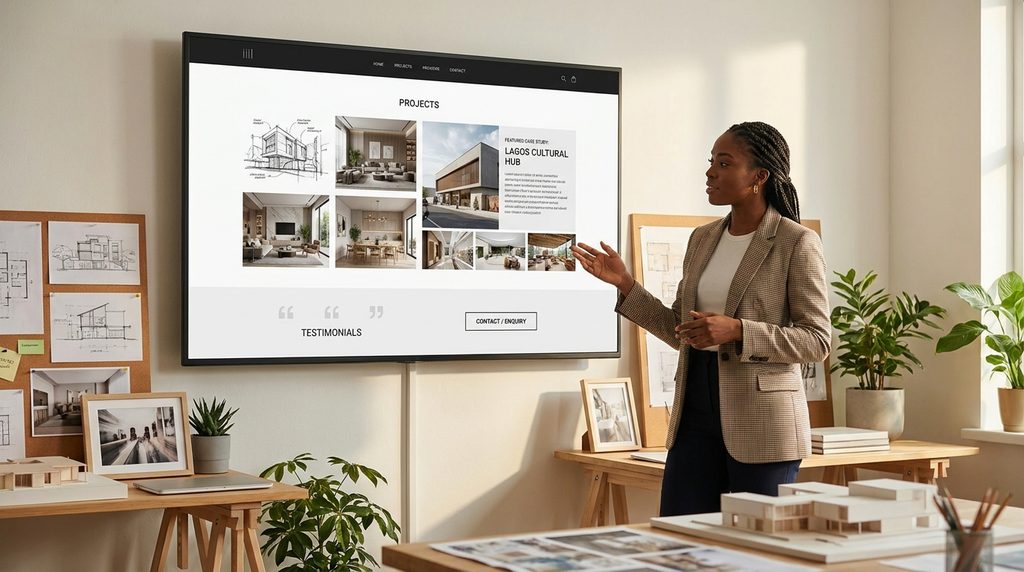
Portfolio Website
Prioritize strong project presentation, professional biography, skills, case studies, testimonials and clear contact or enquiry actions.
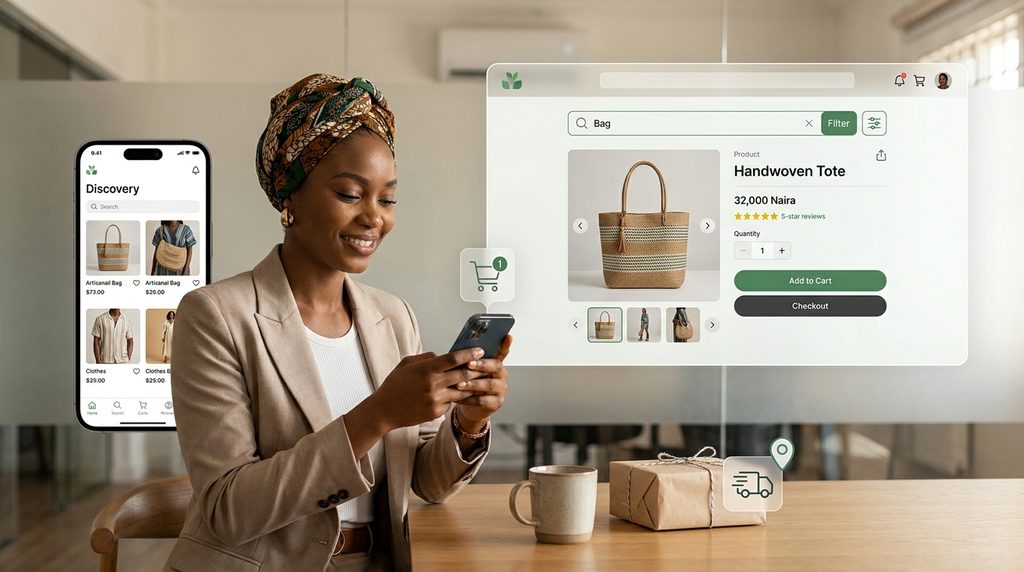
E-commerce Website
Prioritize product discovery, search/filtering, product information, trust, cart and checkout usability, payment and delivery experience.
Corporate Website
Prioritize authority, structured information, service or industry pages, leadership, projects, resources, stakeholder communication and lead generation.
Professional Services Website
Focus on expertise, credibility, services, problem-solving content, testimonials, FAQs and consultation or enquiry calls to action.
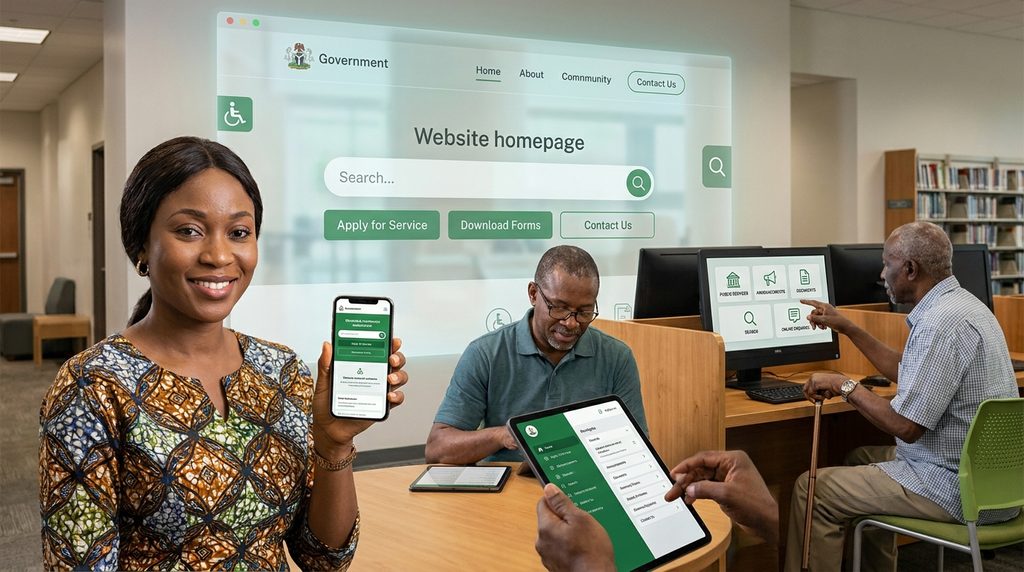
Government or Institutional Website
Prioritize accessibility, information architecture, public services, documents, announcements, search, transparency and ease of access.
Common Website Design Mistakes to Avoid
- Choosing a design before defining the business goal
- Copying another company’s website without considering your own audience
- Prioritizing visual effects over usability
- Ignoring mobile users
- Using too many fonts, colors or animations
- Choosing a template that cannot support your content
- Ignoring SEO and website performance
- Adding features that do not solve a real problem
- Failing to plan for future growth
- Treating the website as a one-time design project instead of a business asset
A Simple Framework for Choosing the Right Website Design
Use the 7-question test
- Who is the website for?
- What do we want visitors to do?
- What does our audience need to know before taking action?
- How should the brand be perceived?
- What content and pages are required?
- What functionality is necessary?
- How should the website grow with the business?
Frequently Asked Questions
How do I choose the right website design for my business?
Start with your business goals, target audience, brand positioning, website type, content, functionality, SEO requirements and future growth. The design should support these requirements rather than being selected purely for appearance.
What type of website is best for a small business?
Most small businesses benefit from a clear, mobile-friendly business website focused on their services, target audience, credibility, local or organic search visibility and easy contact.
What is the difference between a portfolio website and a business website?
A portfolio website is primarily designed to showcase an individual’s or creative professional’s work and experience. A business website generally focuses on the company, its services or products, credibility and customer conversion.
What should an e-commerce website design include?
An e-commerce design should make product discovery, product evaluation, cart management, checkout, payment and delivery information easy to understand and use.
How important is SEO when choosing a website design?
SEO is important because website architecture, navigation, mobile usability, performance, headings and content structure can all influence organic search visibility.
Should website design match my brand?
Yes. Your website should reinforce your brand identity and positioning through its visual language, content, tone, typography, imagery, colors and overall user experience.
Should I use a website template or custom website design?
The right choice depends on your goals, budget, content and functionality. A template can work well for straightforward requirements, while custom design may be more suitable when the brand, user experience or functionality requires greater flexibility.
How do I know if a website design is user-friendly?
A user-friendly website makes information easy to find, uses clear navigation, readable content, obvious calls to action, responsive layouts and simple interactions across devices.
Can I redesign my website later as my business grows?
Yes, but planning for scalability from the beginning can reduce the need for major redesigns. Choose a structure and platform that can accommodate future content, services and functionality.
What should I look for in a professional web design company?
Look for a provider that understands strategy, user experience, responsive design, SEO, development, security and business goals—not just visual design.
Final Thoughts
Choosing the right website design is not about finding the most beautiful website on the internet. It is about finding a design approach that makes sense for your business.
Start with your audience and objectives. Then determine the website type, structure, content, functionality, brand positioning and SEO requirements. From there, your designer can create a website that looks professional and works as a strategic business asset.
A good website should help visitors understand your business, trust your brand and take the next step.
The right website design is the one that makes it easier for the right people to understand, trust and engage with your business.
Ready to Choose the Right Website Design?
At Penetralia Hub, we help businesses, startups, professionals, corporate organizations and institutions develop websites that align with their goals, audience and brand positioning.
Our Web Design, Web Development and Consultancy services combine strategy, user experience, design and technology to create websites built for real business needs.
If you are unsure what type of website or design approach your business needs, start with a conversation about your goals.