When people search for a business, product, or service online, Google is often one of the first places they look.
They may search for your exact business name.
They may search for a service you provide.
Or they may search something like:
“web designer in Abuja”
“best catering service near me”
“accounting firm in Lagos”
“IT company in Nigeria”
If your business doesn’t appear, you’re missing an opportunity to be discovered by people who may already be looking for what you offer.
But getting your business on Google Search is not simply about creating a website and waiting for customers to find you.
There are several pieces that work together: your website, Google Business Profile where eligible, search engine optimization, accurate business information, useful content, and a consistent online presence.
The good news is that you don’t need to be a large corporation to start building visibility.
You can begin with a few foundational steps and gradually strengthen your presence.
Key Takeaways
- Your website and Google Business Profile serve different but complementary purposes.
- Google Business Profile is especially important for eligible businesses that interact with customers in person or serve specific local areas.
- Your business information should be accurate and consistent.
- Verification is an important part of establishing control over your Business Profile.
- Your website should clearly communicate what your business does and who it serves.
- SEO helps your website become discoverable for relevant searches.
- Local businesses should pay particular attention to location, categories, reviews, and local relevance.
- Getting listed on Google is only the beginning; building search visibility takes ongoing work.
- You should focus on being visible for the searches that matter to your customers, not simply appearing for your business name.
Let’s look at how to get your business on Google Search and build a stronger foundation for long-term visibility.
What Does It Mean to “Get Your Business on Google”?
When people say they want their business “on Google,” they can actually mean several different things.
Your business can potentially appear through:
- Your website in organic search results
- A Google Business Profile
- Google Maps
- Local search results
- Business information displayed alongside search results
- Your blog content
- Product-related results where applicable
- Other Google search features
These are not all the same thing.
Your website
Your website is the digital property that you control.
It can appear in Google’s organic search results when Google discovers, indexes, and ranks your pages.
For example, someone might search:
“professional website design company”
and find your website among the organic results.
Your Google Business Profile
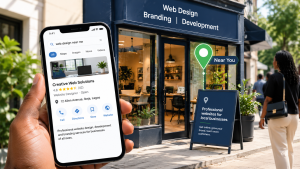
For eligible businesses, a Google Business Profile can help the business appear on Google Search and Maps.
Google describes a Business Profile as a way for eligible businesses to manage how their business information appears across Google.
A profile can contain information such as:
- Business name
- Category
- Location or service area
- Phone number
- Website
- Business hours
- Photos
- Reviews
- Other business information
This is particularly useful for local businesses.
Your Google presence is bigger than one listing
The strongest approach is not to think:
“How do I get a Google listing?”
Instead, think:
“How do I make my business easy for potential customers to discover and understand through Google?”
That requires a broader strategy.
Step 1: Make Sure Your Business Is Eligible for a Google Business Profile
Before creating a profile, understand whether your business is eligible.
Google Business Profile is designed primarily for businesses that have in-person contact with customers during stated hours, including businesses with a physical location or eligible service-area businesses.
This means not every online entity should automatically create a Business Profile.
For example, a local:
- Restaurant
- Hotel
- Clinic
- Salon
- Repair company
- Consulting firm with an eligible local operation
- Service-area business
may have a reason to establish a profile.
What about businesses that work from home?
Eligibility depends on how the business operates and Google’s guidelines.
A service-area business may be able to hide its physical address and instead specify the areas it serves. Google provides separate guidance for businesses that don’t serve customers at their business address.
The important thing is to represent the business accurately rather than creating a listing simply to manipulate local search results.
Step 2: Create or Claim Your Google Business Profile
If your business doesn’t already have a profile, you can create one.
If a profile already exists, you may need to claim it rather than creating another one.
Google’s official process allows eligible businesses to add or claim their Business Profile and then complete verification.
Why claiming matters
Claiming your profile allows you to manage the business information associated with it.
That can include details such as:
- Business information
- Hours
- Contact information
- Photos
- Services
- Customer interactions
It also helps prevent your business presence from being left unmanaged.
Avoid creating duplicate profiles
If your business already has a legitimate profile, don’t create another one simply because you can’t immediately find or access it.
First investigate whether the existing listing can be claimed or whether there is an ownership issue.
Duplicate profiles can create confusion and make managing your online presence more difficult.
Step 3: Verify Your Business
After creating or claiming your profile, you may need to verify the business.
Google determines which verification methods are available based on factors such as the business, public information, region, and other circumstances. Available methods can include phone or SMS, email, video, or mail depending on eligibility.
Why verification matters
Google states that only verified businesses can show their business information on Maps and Search through a Business Profile.
Verification therefore isn’t just an administrative step.
It’s part of establishing that you are authorized to manage the business presence.
Be careful with verification information
If Google asks you to verify the business, follow the verification method provided within your account.
Never share verification codes casually with third parties.
If someone is helping you manage the profile, give them the appropriate account access rather than handing over sensitive verification information.
Step 4: Complete Your Business Information
Once your Business Profile is verified, complete it as accurately as possible.
At minimum, pay attention to:
- Business name
- Primary category
- Address or service area
- Phone number
- Website
- Business hours
- Business description
- Services
- Photos
Google recommends keeping business information accurate, complete, and up to date to help customers find the business.
Why completeness matters
Imagine someone finds your business listing but can’t determine:
- Where you’re located
- When you’re open
- What you actually offer
- How to contact you
- What your business looks like
They may simply choose another business.
Your profile should make it easy for a potential customer to understand the basics.
Step 5: Choose the Right Business Category
Your business category helps Google understand what your business is.
This is not an opportunity to list every keyword you want to rank for.
Choose the category that most accurately represents your business.
Think about the customer’s perspective
If someone were searching for your type of business, what category would make the most sense?
For example:
A restaurant shouldn’t choose a category simply because it contains a popular keyword.
A web development company shouldn’t attempt to represent itself as several unrelated business types just to gain additional visibility.
Accuracy is more important than trying to manipulate the system.
Step 6: Add Your Website
Your website and Google Business Profile should support each other.
Your Business Profile can provide a direct path to your website, while your website provides much more room to explain your business.
Google’s Business Profile documentation notes that profiles can include a link to the business website.
What should happen when someone clicks through?
They should land on a website that clearly communicates:
- What your business does
- Who you serve
- Your products or services
- Why customers should trust you
- How to contact you
Don’t send Google visitors to a poorly maintained website.
Your Google presence may get someone to click.
Your website needs to convince them to stay.
Step 7: Make Your Website Search-Friendly
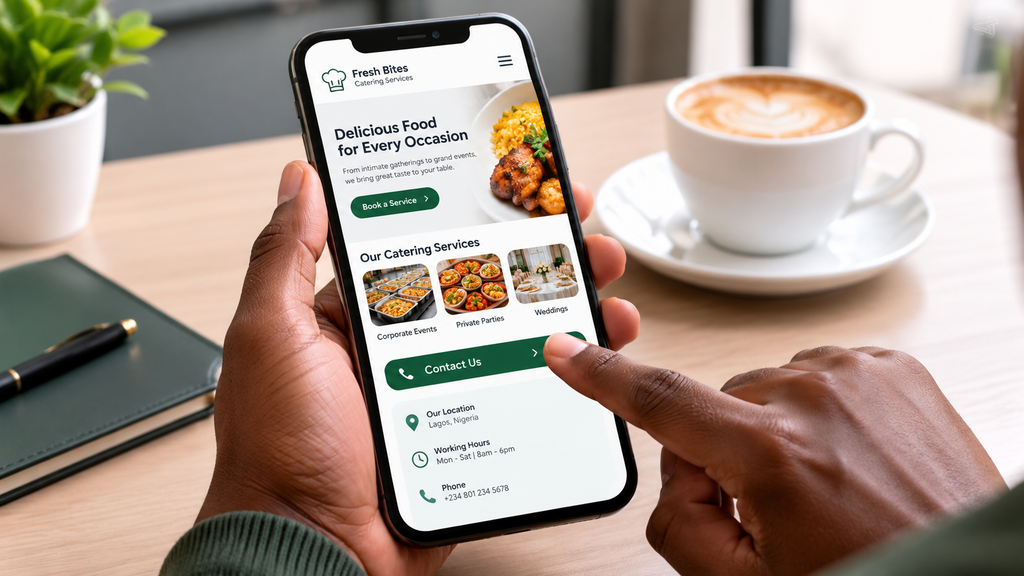
Getting your business on Google isn’t only about your Business Profile.
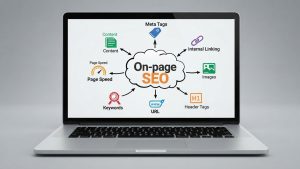
Your website also needs a strong SEO foundation.
Google needs to understand what each page is about.
Start with your core pages
For many businesses, these might include:
- Homepage
- About
- Services
- Individual service pages
- Contact
- Location pages where genuinely useful
- Blog or resources
Each page should have a clear purpose.
Use language your customers actually search for
Suppose you provide professional website development.
Your website shouldn’t only say:
“We create digital experiences.”
That may sound creative, but it doesn’t clearly communicate the service.
A clearer approach might be:
“Professional Website Design and Development for Businesses”
This gives users—and search engines—more context.
Step 8: Create Dedicated Pages for Important Services
One of the easiest ways to strengthen your website’s search visibility is to make sure important services have useful dedicated pages.
Instead of putting everything on one page:
Web Design | Branding | SEO | Social Media | Advertising | Cybersecurity
consider creating separate pages when each service represents a meaningful business offering.
For example:
Website Design
Branding
Social Media Management
SEO Services
Online Advertising
Cybersecurity
Each page can then answer questions specific to that service.
Why does this matter?
A dedicated service page gives you room to explain:
- What the service is
- Who needs it
- Problems it solves
- What is included
- Your process
- Expected outcomes
- FAQs
- Relevant examples
- How to get started
It also creates opportunities to target specific search topics.
Step 9: Publish Helpful Content
Your service pages aren’t the only way to attract search traffic.
A business blog can help you answer questions your potential customers are already asking.
For example, a web design company could publish:
- What Is Website Design?
- How Much Does a Website Cost?
- How to Choose a Website Platform
- What Pages Should a Business Website Have?
- Why Is My Website Not Showing on Google?
- How to Do Keyword Research
This type of content can attract people earlier in the buying journey.
Content builds topical relevance
Imagine a website that has one page about web design.
Now imagine another website with:
- A web design service page
- Website pricing guide
- Website planning guide
- Website platform comparison
- Website SEO guide
- Website usability guide
- Website maintenance guide
The second website has created a much deeper information ecosystem around the topic.
That’s the direction a long-term content strategy should take.
Step 10: Use Relevant Keywords
Keywords are the words and phrases people use when searching.
If you don’t understand what your customers search for, you may create content that nobody is looking for.
Start with customer questions
Ask:
- What service are people looking for?
- What problem are they trying to solve?
- What location do they include?
- What questions do prospects ask before buying?
- What alternatives do they compare?
- What does someone search when they are ready to contact a provider?
For a local business, this might lead to searches such as:
“website designer in Abuja”
“accountant in Lagos”
“event planner in Port Harcourt”
For a broader business:
“how to build an online presence”
“how much does website design cost”
“social media management services”
The goal isn’t to insert keywords everywhere.
It’s to understand search intent.
Step 11: Build Your Local Search Signals
If you serve customers in a particular location, local SEO can be extremely important.
For example, a business operating in Abuja may want to become more visible when people search for relevant services in Abuja.
Local visibility involves more than adding a city name
A stronger local presence can involve:
- Accurate Business Profile information
- Consistent business details
- Relevant website content
- Location information
- Customer reviews
- Local references and mentions
- Useful location-specific pages where appropriate
Google states that local search rankings are influenced by multiple factors and that complete, accurate Business Profile information can help with visibility.
Don’t create hundreds of fake location pages
If you only serve one location, creating dozens of nearly identical pages for cities you don’t actually serve isn’t a good strategy.
Local SEO should reflect the real business.
Step 12: Encourage Genuine Customer Reviews
Reviews can help potential customers evaluate your business.
Think about your own buying behaviour.
If you find two businesses offering similar services and one has numerous genuine reviews while the other has none, which one feels more trustworthy?
Reviews can provide social proof.
Ask satisfied customers for honest feedback
After successfully completing a project or service, you can encourage customers to leave a genuine review.
But don’t manufacture reviews.
Don’t create fake accounts.
Don’t pay people to pretend they are customers.
Your reviews should reflect actual customer experiences.
Respond professionally
When customers leave reviews, engage appropriately.
Thank customers for positive feedback.
When someone raises a legitimate concern, respond professionally and focus on resolving the issue.
Step 13: Add High-Quality Photos and Business Information
Visual information can make your business profile more useful.
Depending on your business, you might include:
- Exterior photos
- Interior photos
- Products
- Team members
- Equipment
- Completed projects
- Workspaces
- Branded materials
The exact photos should depend on what you do.
For a restaurant, food and interior photography may be important.
For a construction company, completed projects may be more useful.
For a professional service business, team and office images may help establish credibility.
Google’s Business Profile resources specifically support adding photos and videos to help represent a business.
Step 14: Keep Your Information Consistent
Imagine your website says:
0800 123 4567
while an online directory says:
0800 987 6543
Your Google profile lists a different address.
Your social media profile has another version of the business name.
This creates confusion.
Review your business information
Try to maintain consistency across important online properties.
Pay attention to:
- Business name
- Address
- Phone number
- Website
- Business category
- Service information
Consistency makes it easier for customers and search engines to understand the business.
Step 15: Use Google Search Console for Your Website
Google Business Profile helps with your business presence on Search and Maps.
Google Search Console serves a different purpose.
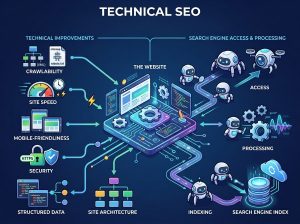
It helps website owners understand how their website performs in Google Search and identify issues related to crawling, indexing, and search visibility.
What can you learn?
You can use Search Console to investigate things such as:
- Which searches bring impressions
- Which pages appear in search
- Clicks
- Search performance
- Indexing problems
- Sitemap information
- Individual URL status
This is particularly useful because it gives you data about how Google is interacting with your website.
Step 16: Submit Your Sitemap
An XML sitemap helps communicate the URLs you want search engines to discover.
For many modern websites, your content management system or SEO tools can generate one automatically.
Once available, you can submit the sitemap through Google Search Console.
But remember
A sitemap is not a guarantee that every URL will rank.
It helps with discovery.
Your pages still need to be accessible, useful, and technically sound.
Step 17: Make Your Website Mobile-Friendly
People don’t only search from computers.
Your potential customers may discover you while using:
- Smartphones
- Tablets
- Laptops
- Desktop computers
Your website should therefore provide a good experience across screen sizes.
Check that:
- Text is readable
- Buttons are easy to tap
- Navigation works
- Forms work
- Images display correctly
- Pages load efficiently
A person who discovers your business on Google but encounters a broken mobile website may leave immediately.
Step 18: Improve Website Speed
Your website is part of your Google presence.
If it is slow, difficult to navigate, or constantly shifting while loading, visitors may have a poor experience.
Review:
- Image sizes
- Hosting
- Plugins
- Scripts
- Caching
- Unnecessary animations
- Third-party tools
You don’t need to remove every visual element.
You need to make sure the website’s design supports its purpose rather than creating unnecessary performance problems.
Step 19: Keep Your Website Updated
Your online presence shouldn’t be treated as a one-time setup.
Businesses change.
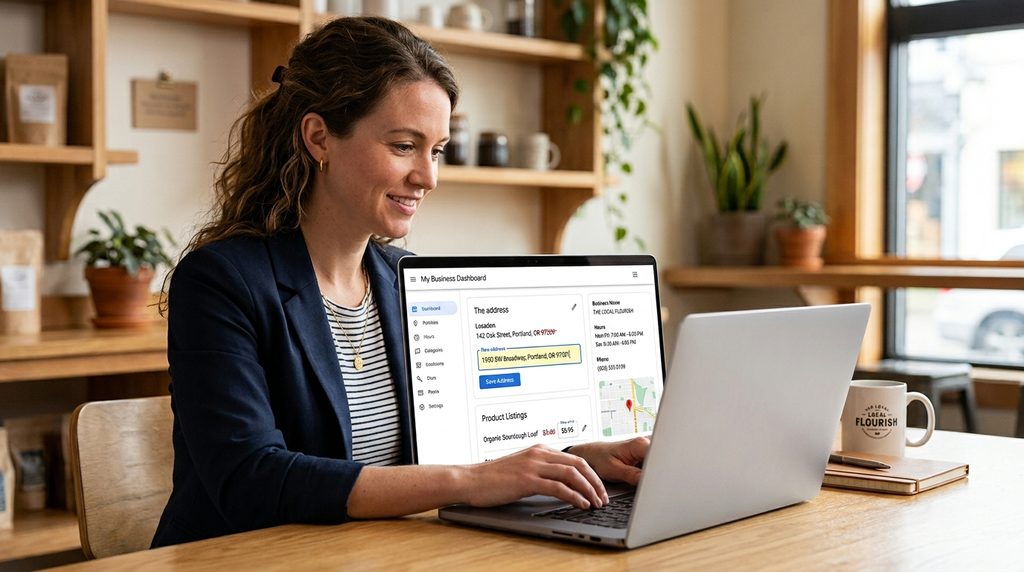
You may:
- Add new services
- Change your phone number
- Move locations
- Change business hours
- Launch new products
- Update pricing
- Add new team members
- Complete new projects
Your website and Google presence should reflect those changes.
Google specifically recommends keeping Business Profile information accurate and up to date.
How Long Does It Take to Appear on Google?
There isn’t one universal answer.
Different parts of your Google presence can take different amounts of time to appear, update, or gain visibility.
For example:
- A newly created Business Profile needs verification.
- A new website needs to be discovered and indexed.
- A newly published page needs to be crawled.
- A new business may need time to establish local visibility.
- SEO rankings generally develop over time.
Google notes that rankings for new businesses can take time to appear in search results and that edits to Business Profile information may also take time to be reflected.
This is why you should avoid expecting immediate page-one rankings simply because you’ve created a profile or launched a website.
Why Isn’t My Business Showing When I Search Its Name?
If you have completed the basic setup but still can’t find your business, investigate systematically.
Check:
1. Is your Business Profile verified?
If not, complete the available verification process.
2. Is the information accurate?
Check your business name, location, phone number, category, and website.
3. Is the business eligible?
Make sure your business meets Google’s eligibility requirements.
4. Is your website indexed?
Use Google Search Console to investigate.
5. Is the website technically accessible?
Check for server, indexing, or crawling issues.
6. Has the business recently launched?
New businesses and websites may need time to establish visibility.
7. Are you searching from the right location?
Local search results can vary depending on the searcher’s location.
8. Is the profile suspended?
If Google has suspended a Business Profile, it won’t show normally until the issue is resolved. Google provides specific processes for addressing suspended profiles.
Google Business Profile vs Website: Do You Need Both?
For many businesses, these two assets work best together.
| Google Business Profile | Business Website |
| Helps establish a local presence | Provides full business information |
| Can appear in Search and Maps | Can rank for many relevant searches |
| Shows hours and contact information | Explains services in depth |
| Displays reviews | Can showcase case studies |
| Provides photos | Can host portfolios |
| Supports local discovery | Supports broader SEO and content |
| Quick customer information | Full customer journey |
A Business Profile isn’t a replacement for a website.
And a website isn’t a complete replacement for a Business Profile for eligible local businesses.
Together, they can create a stronger digital presence.
The Biggest Mistake: Thinking “Being on Google” Is the Goal
Getting your business listed is only the beginning.
The real goal is:
Being found by the right people at the right time.
Imagine a business that appears when someone searches its name but doesn’t appear when potential customers search for the services it provides.
That’s a limited form of visibility.
A stronger strategy asks:
What searches indicate that someone needs what we offer?
Then you build your website, content, local presence, and broader digital strategy around those opportunities.
A Simple Google Visibility Strategy for Small Businesses
If you’re starting from scratch, don’t try to do everything at once.
Follow this sequence.
Phase 1 — Establish
- Create or claim your eligible Business Profile.
- Verify it.
- Complete your business information.
- Create or improve your website.
Phase 2 — Optimize
- Improve your website structure.
- Create service pages.
- Research relevant keywords.
- Improve page titles and headings.
- Make the website mobile-friendly.
- Improve performance.
Phase 3 — Build
- Publish useful content.
- Encourage genuine customer reviews.
- Add relevant business photos.
- Build relevant local visibility.
- Strengthen internal linking.
Phase 4 — Measure
- Set up Google Search Console.
- Monitor search performance.
- Identify opportunities.
- Fix technical problems.
- Improve pages that aren’t performing.
Phase 5 — Grow
- Expand useful content.
- Target additional relevant searches.
- Improve service pages.
- Build authority within your industry.
- Continue improving your website and customer experience.
This approach is much more sustainable than trying to find a shortcut to the top of Google.
Build a Google-Ready Digital Presence with Penetralia Hub
Getting your business on Google isn’t simply a listing exercise.
Your website, content, SEO structure, branding, and online presence all work together to determine how professionally and effectively your business is represented online.
At Penetralia Hub, we help businesses build the digital foundation they need to present their brands professionally and create better opportunities for online discovery.
Our services can support businesses with:
- Website Design & Development
- SEO-friendly website structure
- Business website development
- Website content organization
- Search visibility foundations
- Branding and brand consistency
- Social Media Management
- Online Advertising
- Digital growth strategy
Whether you’re launching a new business or trying to improve an existing online presence, the goal should be more than simply “being on Google.”
Your customers should be able to find you, understand what you offer, trust your business, and know what to do next.
Ready to build a stronger online presence?
Talk to Penetralia Hub about building a website and digital presence designed to help your business get discovered and grow.
Frequently Asked Questions
How do I get my business on Google Search?
Start by creating or claiming a Google Business Profile if your business is eligible, completing the verification process, and keeping your information accurate. You should also create a properly structured, searchable business website and establish your presence through SEO.
Is Google Business Profile free?
Google’s official help documentation states that eligible businesses can add or claim their Business Profile at no charge.
Do I need a website to appear on Google?
Not necessarily. An eligible local business can have a Google Business Profile without relying entirely on a website. However, a professional website gives your business significantly more space to explain its services, publish content, build credibility, and target relevant searches.
How long does it take for a new business to appear on Google?
There is no guaranteed timeframe. Verification, indexing, profile updates, and search rankings can all take different amounts of time. Google notes that new businesses may take time to appear in local search results.
Why is my business not showing on Google Maps?
Possible reasons include an incomplete or unverified Business Profile, eligibility issues, suspension, incorrect information, or simply insufficient time for the profile to establish visibility. Check your Business Profile status and verification information first.
Can I put my business on Google without a physical store?
Some service-area businesses can be eligible for a Business Profile even when they don’t serve customers at their business address. Google provides options for eligible businesses to hide their address and specify their service area.
How can I get my website to appear on Google?
Make sure your website can be crawled and indexed, create useful pages around relevant topics, submit your sitemap through Search Console, build a logical internal linking structure, and consistently improve your content and technical SEO.
Does having a Google Business Profile improve SEO?
A Business Profile can strengthen your presence in local Search and Maps, but having a profile does not automatically guarantee high organic rankings. Local visibility depends on multiple factors, while website SEO involves its own set of technical, content, and relevance considerations.
How do I get my business to rank higher on Google?
There is no single ranking trick. Focus on search intent, useful content, technical website quality, relevant service pages, local visibility where appropriate, strong business information, and an overall experience that genuinely helps potential customers.
Can I pay Google to appear at the top of search results?
Paid Google advertising and organic search rankings are different systems. Advertising can provide paid visibility, while SEO focuses on earning organic search visibility. Paying for advertising does not mean your website automatically receives higher organic rankings.
Final Thoughts
Getting your business on Google is one of the first steps toward building a stronger digital presence.
But don’t stop at creating a listing.
Build the complete system.
Create a professional website.
Establish your eligible Google Business Profile.
Verify and maintain your business information.
Optimize your website for relevant searches.
Publish useful content.
Build genuine customer trust.
Monitor your search performance.
And most importantly, focus on being discoverable by the people who are actually looking for what your business offers.
Google can help people discover your business.
Your job is to make sure that when they find you, they have a clear reason to choose you.